AzureのApp Serviceでssh出来なくなった時にやったこと
1. はじめに
ある日Azureの App Service でssh出来なくなった事があったので、そのときに行ったことを記録しておく。
2. 詳細
ブラウザでSSHセッションを開くと Timed out while waiting for handshakeError となる。

図 1. エラー
ssh出来なくなったアプリに対して、 Cloud Shell で
$ az webapp create-remote-connection --subscription <subscription id> --resource-group <group name> -n <app name>
としてみるも、反応が無い。
いくつかある稼働中のアプリすべてでssh出来なくなったわけでは無かったので、正常にssh出来るアプリと比べて見た。
$ az webapp create-remote-connection --subscription <subscription id> --resource-group <group name> -n <app name>
Verifying if app is running....
App is running. Trying to establish tunnel connection...
Opening tunnel on port: 44189
SSH is available { username: xxx, password: yyy }
Ctrl + C to close
となる。
$ az webapp config set --resource-group <group name> -n <app name> --remote-debugging-enabled=false
{
  "acrUseManagedIdentityCreds": false,
  "acrUserManagedIdentityId": null,
  "alwaysOn": true,
  "apiDefinition": null,
...
としてみたら
$ az webapp create-remote-connection --subscription <subscription id> --resource-group <group name> -n <app name>
Verifying if app is running....
App is running. Trying to establish tunnel connection...
Opening tunnel on port: 39785
SSH is available { username: xxx, password: yyy }
Ctrl + C to close
ブラウザからのsshもできるようになった。
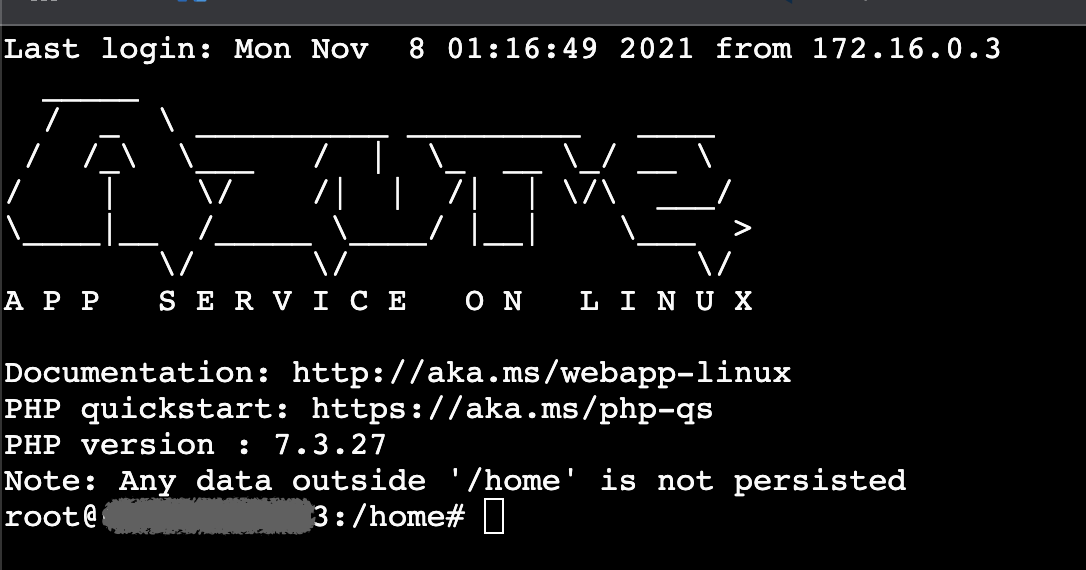
図 2. ssh成功
構成の全般設定にあるリモートデバッグの状態は変化してないんだけどな〜
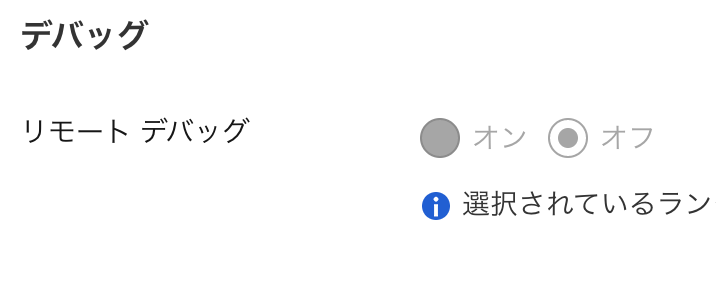
図 3. リモートでバッグ設定
3. デプロイスロットの名前
az webapp の -n オプションで指定する名前について
デプロイスロットの名前は概要ページの右上の JSONビュー リンクで表示される id の Microsoft.Web/sites より後ろの部分のようだ。
name の値を使ったらリソースグループにそんな名前のアプリは見つからないとエラーが出た。
{
    "id": "/subscriptions/<subscription id>/resourceGroups/<group name>/providers/Microsoft.Web/sites/<app name>/slots/deployslot",
    "name": "<app name>/deployslot",
...